Open it anywhere.
Your work laptop, a friend's computer, your phone. Sign in with a passkey and everything is there: Today, Upcoming, projects, checklists. It stays in sync with Things on your Mac, both ways, within a second or so.
 things3pp
GitHub
Open your to-dos on any computer or phone. Ask Claude what's on today, or have Codex add a task while you work. Free and open source.
npx -y things3pp cloud deploy
Your work laptop, a friend's computer, your phone. Sign in with a passkey and everything is there: Today, Upcoming, projects, checklists. It stays in sync with Things on your Mac, both ways, within a second or so.
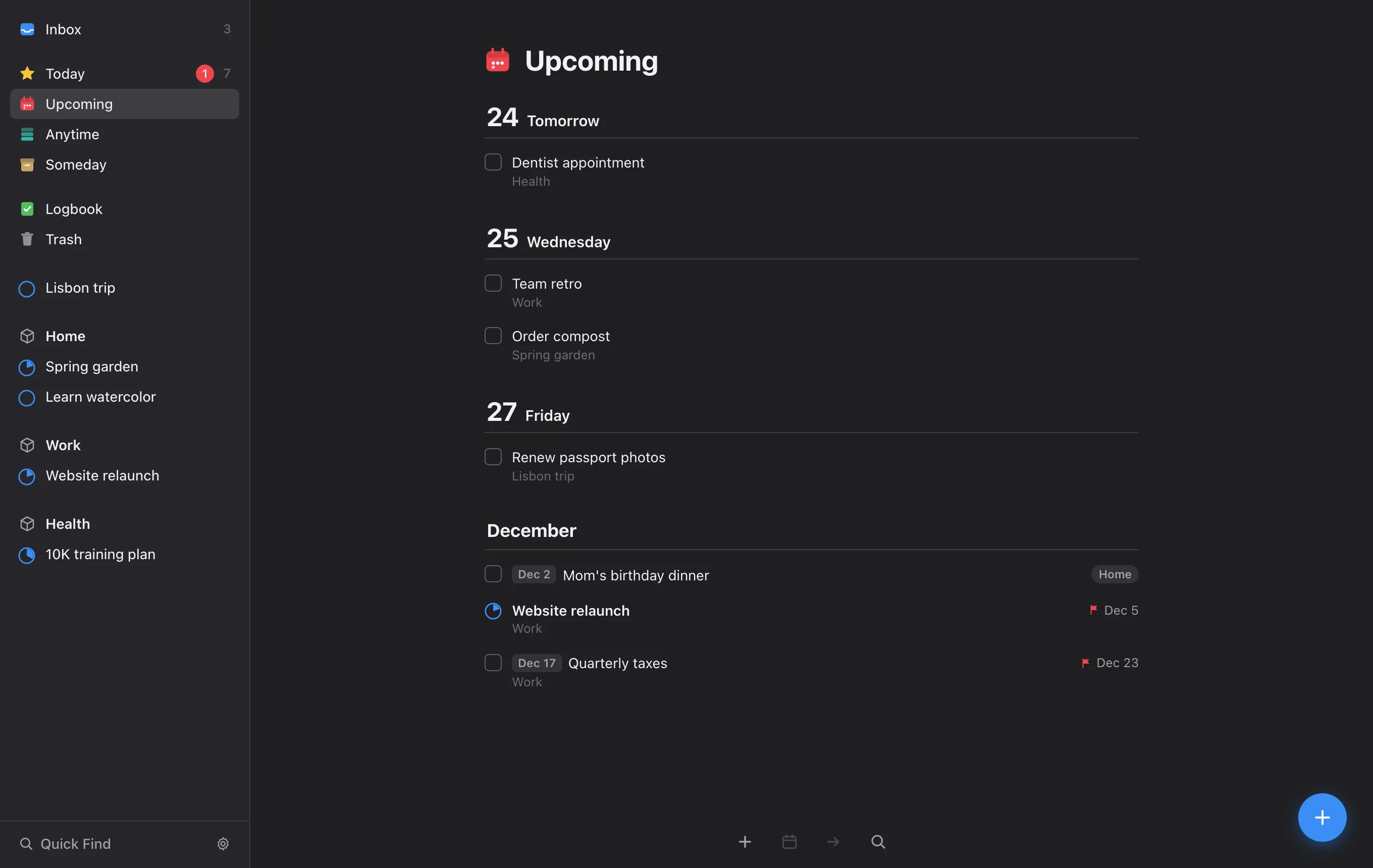
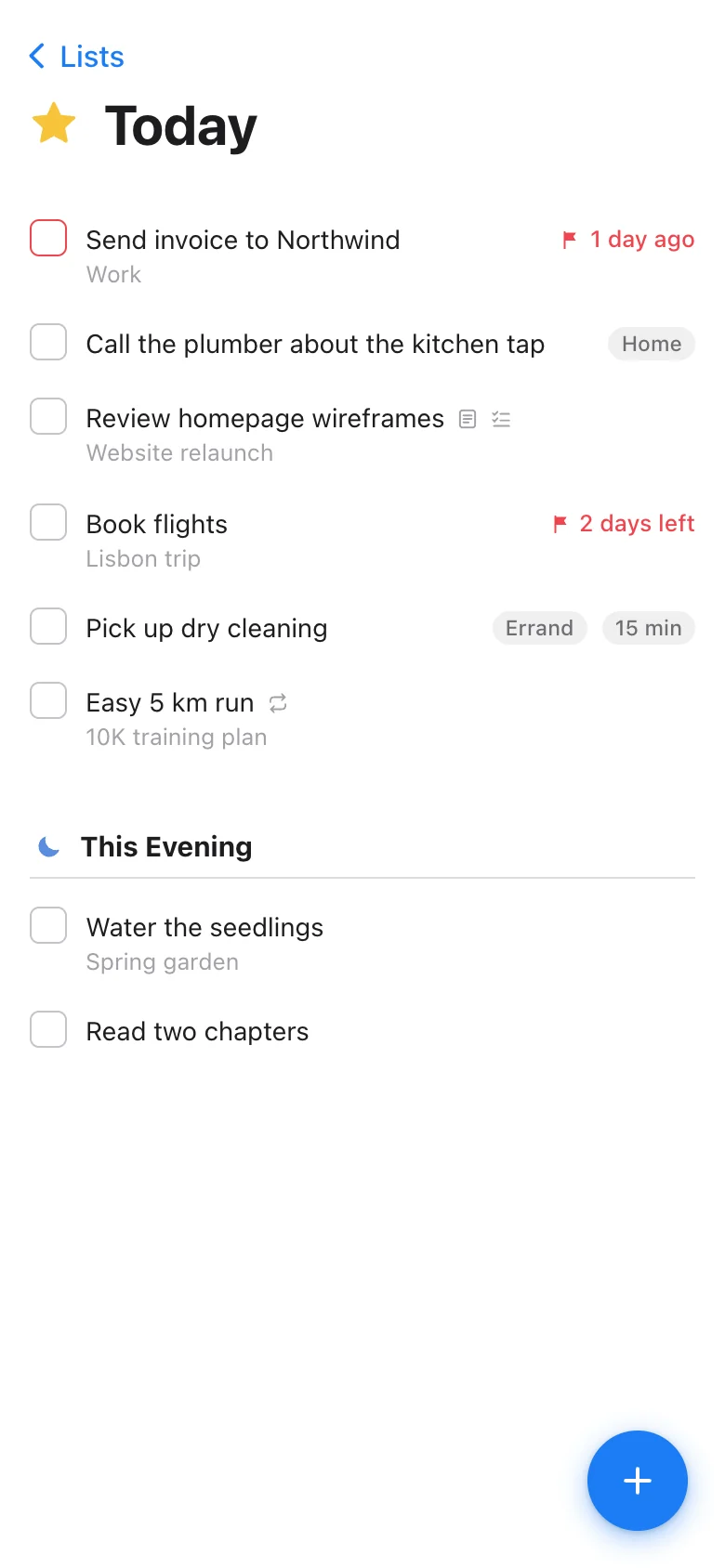
things3pp is an MCP server, so AI apps can read and change your Things. Where the app supports it, your list shows up right in the chat and you can tick things off there.
What's on my plate today?
Seven things. The Northwind invoice is a day overdue, so I'd start there.
Push the plumber call to Thursday.
Done. It's on Thursday now.
~/code/site › fix the header on mobile, then add a to-do
  to write release notes by Friday

… edited src/header.css (+6 −2)
… things.add_todo
    title    "Write release notes"
    when     "today"
    deadline "friday"

✓ Header fixed. Added “Write release notes”
  to Today in Things, due Friday.
Works with Claude, Claude Code, Codex, ChatGPT, Cursor, VS Code and anything else that speaks MCP. From your Mac, or from Claude.ai and ChatGPT on the web. AI apps can add, schedule and complete to-dos. They can't delete anything.
No subscription and no account with us. It runs on your Mac and a free Cloudflare account that only you control, so your to-dos never touch our servers. We don't have any. The code is MIT-licensed.
npx -y things3pp cloud deploynpx -y things3pp connectnpx -y things3pp mcp setupNeeds a Mac with Things 3 and Node.js 22. The cloud steps also need a free Cloudflare account and its cf CLI.